The best route experience on the Apple Watch
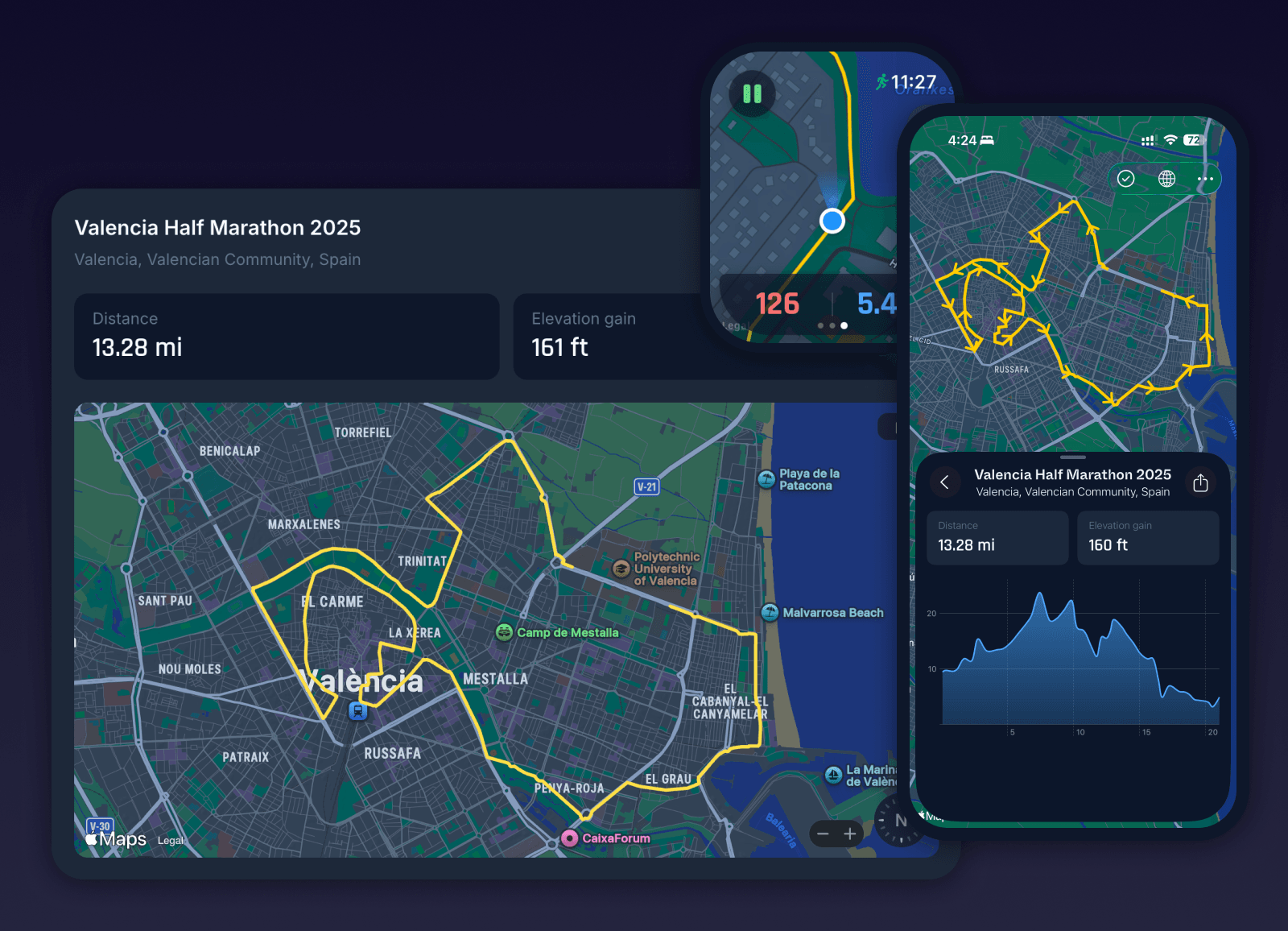
Running is about rhythm, freedom, and discovery. The right route turns an ordinary jog into a mini adventure - and with Milo, importing and following routes on your Apple Watch has never been easier. Whether you’re exploring a new city or rediscovering your hometown, Milo makes it simple to map, import, and enjoy your perfect run.
Why Routes Matter
Great routes don’t just guide your feet, they free your mind. When you know exactly where you’re going, you can focus on what matters most: the run itself. The steady breath, the even stride, the quiet rhythm that makes running feel effortless.
That clarity becomes essential in marathon training. When your plan calls for a 20K or a 28K long run, guessing halfway through breaks the spell. Locking in the distance ahead of time removes uncertainty and lets you settle into the work with confidence.
Routes remove distraction so you can stay present and in the zone. With Milo’s real-time navigation, every mile feels intentional.
Why Milo Makes It Easy
Imagine landing in a new city and, within minutes, heading out for a scenic 5-miler without having to think about directions. Or planning a weekend long run from your laptop and seeing it appear instantly on your Apple Watch the next morning.
Milo brings Apple-level simplicity to running routes, so exploring new places or locking in long runs feels effortless.
Importing routes is fast and familiar. Upload a GPX file or connect Strava, pick a route, and it’s instantly ready on your watch. No files, no side-loading, no extra steps.
With real-time navigation on your wrist, you stay on course even in unfamiliar places. One tap and you’re running.
No spreadsheets. No stress. Just open, tap, and go.
10 Popular Running Routes
Loading route...
Loading route...
Loading route...
Loading route...
Loading route...
Loading route...
Loading route...
Loading route...
Loading route...
Loading route...
Two Routes, Two Stories
Haley’s Chicago Loop
When Haley landed in Chicago for a four-day conference, she wanted to squeeze in one great run before meetings began. In Milo, she imported a popular Lake Michigan route from Strava, saved it, and within seconds it appeared on her Apple Watch. The skyline glowed over the water as she followed every cue hands-free.
“At three miles in, I was beaming - lost in the moment, not the map.” - Haley
Jeff’s Discovery
After moving cross-country, Jeff was stuck in a rut - same treadmill, same playlist, zero inspiration. One Sunday morning, he opened AllTrails, mapped a 12-mile trail near his new neighborhood, and and easily imported into Milo. The route led him through woods, over creeks, and straight to a hidden coffee shop at mile eight. It became his new ritual - one he wouldn’t have found without Milo.
“Milo quickly took me out of my comfort zone and showed me the way. Quite literally.” - Jeff
Run. Explore. Repeat.
With Milo, routes aren’t just lines on a map, they’re the key to running with purpose and peace of mind. Whether you’re chasing a PR, logging easy miles, or exploring a new city, Milo turns every route into an invitation. Because the best runs happen when you stop thinking about where you’re going, and just go there. Wherever there is.
In Conclusion
Routes turn runs into experiences. With Milo on Apple Watch, you get the confidence of real-time navigation, the ease of easy syncing, and the focus to stay in your rhythm instead of in a map. Whether you are exploring a new city or refreshing your hometown loop, Milo makes it simple to find, import, and follow great routes so the miles feel intentional.
Before you go, here is one quick way to import a route:
First connect your Strava account to Milo.
Then open the Routes tab in Milo.
Tap the “+” button.
Pick from your pre-populated Strava routes.
Tap Add - it instantly appears in your Milo library.
Select the route and it’s already on your Apple Watch.
Now you’re ready to go!
Run with purpose. Run with Milo.