Changelog — iOS 1.0.21
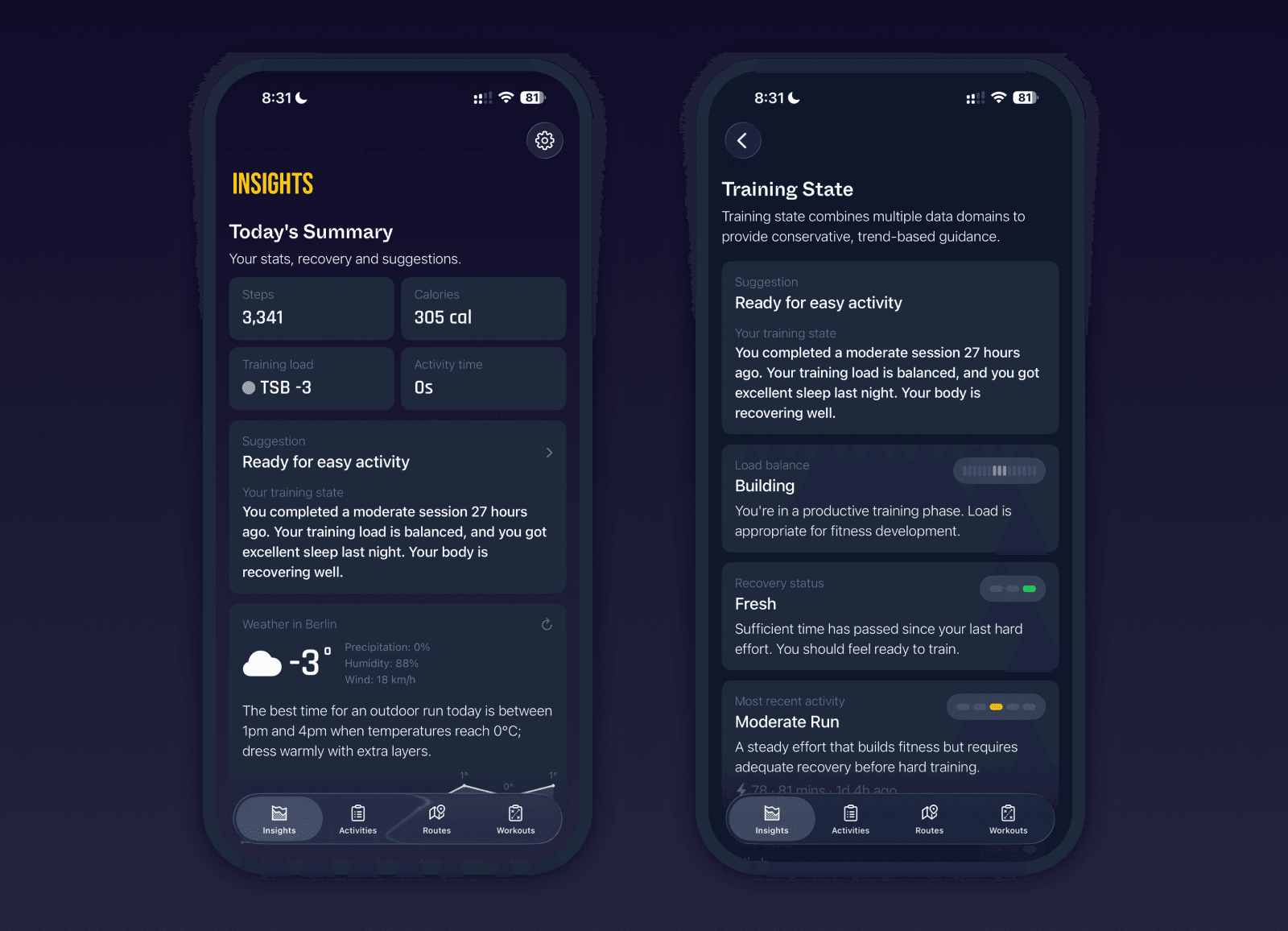
New Training State and Today Summary
We’ve introduced a brand-new Training State system that brings together training load, sleep averages, last night’s sleep, time since last activity, and recent intensity to assess your readiness. You now get a clear recommendation for today, including whether to rest, recover, or train. If location permission is enabled, we also show weather data and suggest the best time for an outdoor run.
A new Today Summary view shows steps, calories, moving time, and current TSB at a glance, giving you an immediate overview of your current state.
Weekly Volume Expanded
Weekly volume now allows scrolling through the past 24 months while still showing the familiar 12-week frame. You can switch between activity types or combine all activities into one consolidated view using the new “All” toggle.
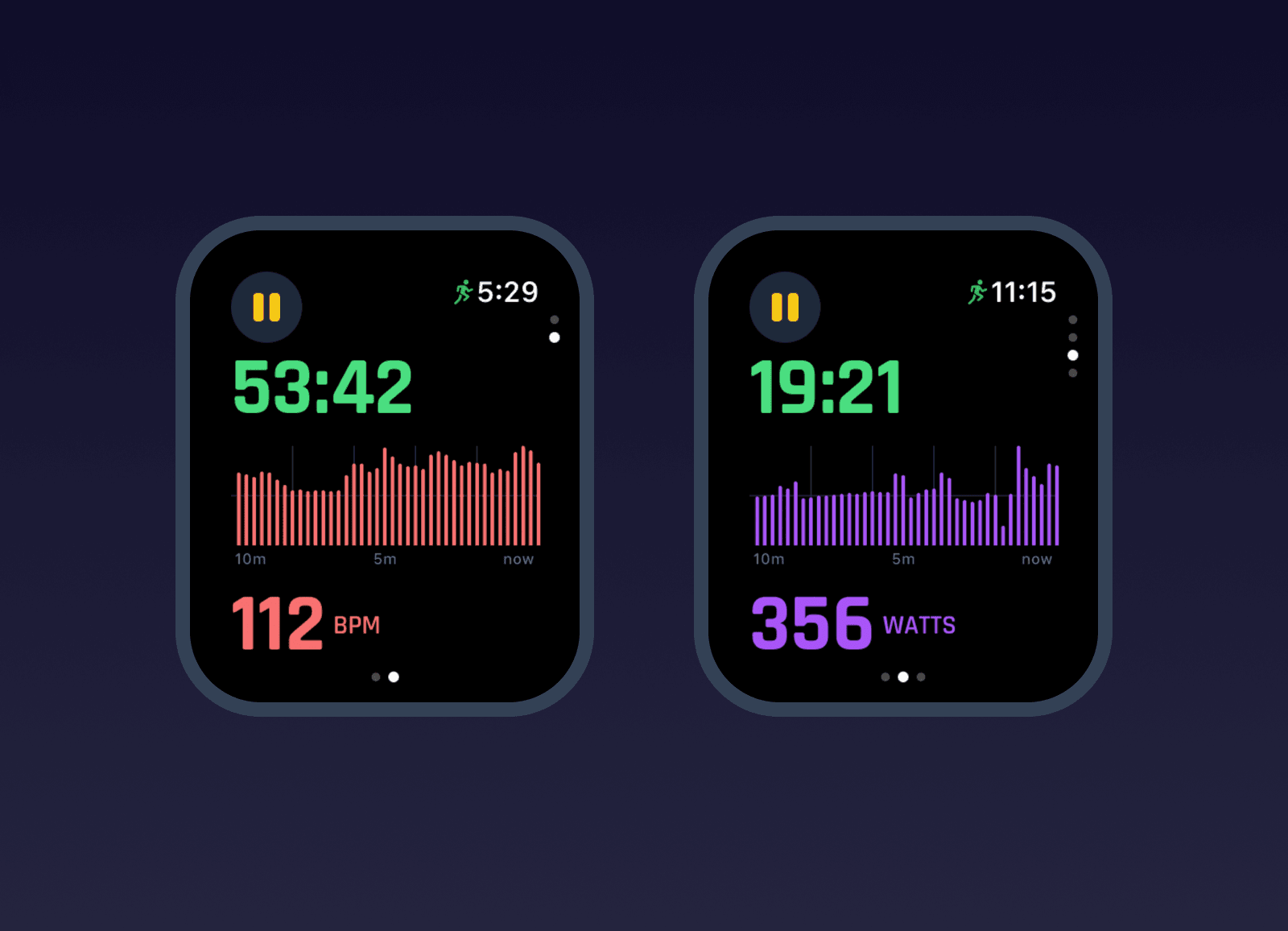
Live 10-Minute Watch Charts
Power and heart rate pages on the watch now show rolling 10-minute live charts. This gives much better short-term context during workouts and makes it easier to understand effort changes in real time. HealthKit activities that include power data now also show full power charts inside activity detail views.
Charts and Insights Improvements
VO2 max now overlays body weight as a line chart to give better context for fitness trends. Training load detail view has been redesigned with larger stats, smoother scrubbing, and more reliable rendering.
Bug fixes and improvements
Insights tab is now the default first tab
Refresh Data moved to Data Management view
Fixed training load insight not regenerating on rest days
Fixed sleep component showing incorrect night when latest sleep was missing
Biometrics such as VO2 max and weight now update in real time in activity detail view for all activities
Body weight now as overlay on VO2 max chart
Improved training load chart rendering and removed flicker
Replaced custom tab bar with native iOS 26 glass tab bar with preserved scroll positions
Fixed stats disappearing on scroll
Fixed running style not loading race data if race was not recorded with Milo
Added filtering by activity type in activities list
Added ability to rearrange and hide Insights components
Added support for additional HealthKit activity types such as skiing
Standardized capitalization across titles and components
Added automatic data regeneration if stats cannot be calculated correctly
Added full screen regeneration and housekeeping view with progress indicator
Improved onboarding timing for training paces calculation
Training load now updates correctly after biometrics are first added
Pause count now correctly parsed for HealthKit activities
Added weekly volume detail view with full 24-month history
Improved permissions handling and recalculation flows