Changelog — iOS 1.0.18
Refactored Insights tab
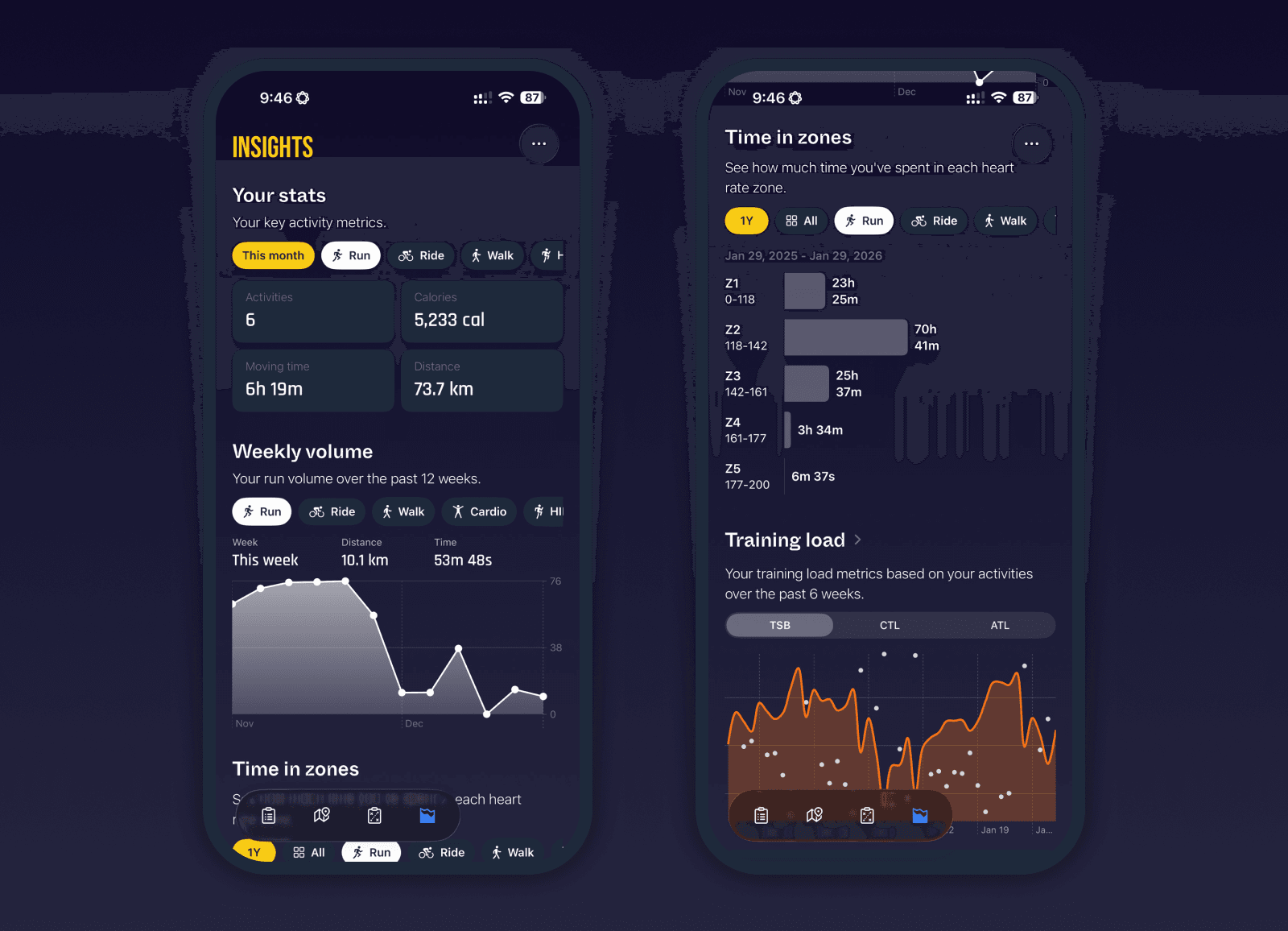
The Insights tab has been fully redesigned with a new look and feel, and completely refactored under the hood. Activity data is now fetched and cached locally on the device, making Insights launch instantly and update immediately when new activities are detected.
Your activities are not synced to Milo servers. They remain private on your device and are only cached locally for performance. This allows Insights to feel fast and responsive without compromising data ownership.
Each Insights component has been reimagined to be more flexible, more transparent, and more useful across all activity types.
Total stats
Total stats are no longer limited to running. You can now switch between all activity types you actually do, with a simple toggle to change the time range between this week, this month, and this year. This makes it easy to understand overall volume and consistency across different sports.
Weekly volume
Weekly volume now works across all activities, not just running. Cycling volume is shown using distance and moving time, and other activities are included where applicable. Period switching is instant, making it easy to track trends week over week.
Time in zones
Time in zones is now calculated across all activities, not just runs. You can also view a consolidated “All activities” mode to clearly see how much time you’re spending in each heart rate zone. This makes intensity distribution much easier to understand and act on.
Training load
The training load view now includes a detailed breakdown of the underlying data. You can see the full six-week activity list used for ATL, CTL, and TSB calculations, with TRIMP values shown for each activity. This makes training load far more transparent and easier to trust.
This is only the beginning. The Insights tab is becoming the analytical heart of Milo, and there’s much more coming soon.
Bug fixes and improvements
Refactored activity fetching and caching for instant Insights loading
Activities are cached locally only and remain private on the device
Insights now detects new activities immediately and updates all components
Improved consistency across all Insights components
Reduced unnecessary re-computation and background fetching
Fixed a bug that could cause the Watch app to crash during activity processing
Added a Save to Apple Health option for activities, allowing replacement of the existing Health entry using the latest activity data, especially useful after manual distance or power edits